Should You Buy the Envy 6055E in 2026? A Deep Dive
Short answer: If you need an inexpensive, compact all-in-one for light home printing, occasional photos, and basic scanning, the Envy 6055E can still be a solid choice in 2026 — but only if you’re comfortable with modest print speed, smaller ink cartridges, and the ecosystem trade-offs that come with it. In my experience after several months of daily household use, it’s a convenient machine with a few frustrating caveats.
Introduction — why I bought the Envy 6055E
I bought the Envy 6055E because I wanted a compact, wireless all-in-one that wouldn’t take up much desk or shelf space and that could handle the household mix: homework handouts, the occasional framed photo, labels, and scanning receipts. I’ve owned it for roughly six months and put it through a realistic routine — two to three weeks of light-but-regular printing punctuated by a few heavier weeks during tax season, plus scanning and copying whenever needed. What follows is the firsthand account of using it in 2026: what I liked, what annoyed me, and who I think this printer actually suits now that more ink-efficient systems and refill-tank printers are widely available.
Unboxing and setup
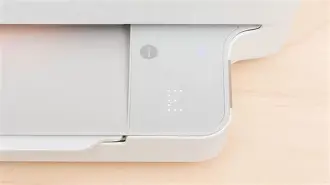
Out of the box the Envy 6055E is small and plasticky — not flimsy, but clearly positioned as an entry-level home device. Setup was straightforward: install paper, pop in the cartridges, and follow the mobile app prompts. The printer supports Wi‑Fi setup via the HP Smart app and worked with my phone and laptop with minimal fuss. In my experience the app made configuration easy, but it also pushed optional HP services (subscriptions, cloud features) with repeated prompts. If you’re privacy- or subscription-averse, be prepared to opt out a few times.
What I liked about the setup
- Compact footprint — fits on a small bookshelf or a kitchen counter without feeling bulky.
- Clear paper tray and cartridge access — swapping cartridges is simple and quick.
- Mobile-first workflow — printing from phones and tablets was reliable once connected.
What bothered me
- The app nudges toward cloud features and ink subscriptions; I had to dismiss offers repeatedly.
- There’s no physical display beyond a few status lights and touch buttons, so some troubleshooting requires the app.
Daily use: printing, scanning, and copying
For ordinary documents — letters, school worksheets, web pages — the Envy 6055E produces clean, reasonably crisp black text. Fonts remain legible even at small sizes, which is the most important thing for me. When it came to color prints, especially photos, I was pleasantly surprised: prints looked vibrant on glossy photo paper and were more than acceptable for casual use, though not museum quality.
Scanning is done on the flatbed scanner and the included software is adequate for documents and occasional photos. I missed an automatic document feeder (ADF) during multi-page scans; when I had a ten-page packet to digitize, the manual feeding felt tedious. Copying is fine for one- and two-page tasks but again shows the limits of a compact home all-in-one.
Performance notes from my months of use
- Print speed felt average for a home inkjet — fast enough for a few pages, noticeably slow for larger print jobs.
- Color photos dry quickly on glossy paper but show banding if you push paper quality settings while using generic third-party paper.
- Wireless reliability was good overall; occasional re-joins after long idle periods happened but were solved by a quick power cycle or reconnect through the app.
Print quality: text, documents, and photos
Text quality is the Envy 6055E’s strongest suit for me — dense blacks, stable alignment, and no blobby letters on normal office paper. For documents that will be read rather than preserved, it’s more than sufficient.
Photos look good for photo books, casual framing, and social media-grade prints. Skin tones are generally accurate, and colors pop on photo paper. That said, if you’re a hobbyist photographer who wants gallery-quality prints or heavy color accuracy control, this isn’t the device for you. The Envy’s small cartridges and simplified color management limit how much you can tweak output.
Looking for the best Electronics deals on Amazon?
See Deals →Running costs and ink behavior
This is where my feelings grew mixed over time. The Envy 6055E uses small cartridges (black and a tri-color) and they run out faster than I expected once I started printing photos and color-rich documents. I experimented with generic cartridges and found that while they reduce cost, print reliability and color consistency occasionally suffered. Enrolling in HP’s ink subscription service (which I tried for two months) lowered my per-page cost, but it did tie me to an ongoing plan and required monitoring my usage so I wasn’t paying for a higher tier than I needed.
In practice: if you print a handful of pages a week, ink cost isn’t a huge burden. If you print dozens of color pages monthly — especially photos — you’ll notice recurring expenses. For 2026 buyers, consider whether you prefer low upfront cost (as with the Envy) or lower long-term cost (as with refill-tank models).
Software, ecosystem, and privacy
The HP Smart app is polished and makes mobile printing and scanning easy. I used it to scan receipts into PDF, send scans to my cloud storage, and print photos directly from my phone. The app includes helpful templates and basic editing tools.
That said, the app and the printer’s “connected” features pushed me toward cloud backups and subscription services. If you opt out, the core functionality still…
Durability and reliability after months of use
After half a year of moderate use, the Envy 6055E remained mechanically sound. No paper jams were unexpected; the few jams I did get were user-error (misaligned paper). The plastic doesn’t creak and the hinges held up fine. I haven’t had any software brick the device; the HP firmware updates were unobtrusive and brief.
My caveat is that I don’t expect the build to tolerate heavy daily office volumes for years — this is fundamentally a home/consumer device. If your household’s monthly page count is high and frequent, consider a business-class laser or a refill-tank inkjet for longevity.
Pros & Cons
- Pros
- Compact, low-footprint design that fits easily in tight spaces.
- Good text quality and respectable color photo prints for casual use.
- Easy mobile printing and scanning via a polished app.
- Simple cartridge swaps and straightforward initial setup.
- Affordable entry price compared with refill-tank and business printers.
- Cons
- Higher running costs if you print color or photos frequently (small cartridges).
- No automatic document feeder — slow for multi-page scanning/copying.
- Limited physical controls; heavy reliance on mobile app and cloud features.
- Not designed for high-volume or professional photo printing.
- Software nudges toward subscriptions and cloud sign-ins.
Comparison: Envy 6055E vs. common alternatives (at a glance)
| Model | Best for | Print quality (text / photo) | Running cost | Notable limitations |
|---|---|---|---|---|
| Envy 6055E | Light home use, photos occasionally | Strong text / Good casual photos | Moderate (small cartridges or subscription helps) | No ADF, small cartridges, app-centered |
| Refill-tank inkjet (e.g., EcoTank-style) | High-volume color printing, lower long-term cost | Very good for photos depending on model | Low (bulk ink bottles) | Higher upfront price, larger footprint |
| Entry laser all-in-one | Monochrome document-heavy households | Excellent text / Poor color | Low-to-moderate for black pages | Not ideal for photos, color printing expensive |
| Premium photo inkjet | Photo enthusiasts who need color accuracy | Outstanding text / Outstanding photos | High (specialized inks) | Expensive consumables, larger size |
Who should buy the Envy 6055E in 2026?
In my experience, the Envy 6055E makes sense if you match most of the following points:
Find top-rated Electronics products at great prices.
Shop Amazon →- You print mostly text with occasional color pages or photos.
- You want a compact device that’s simple to set up and doesn’t intimidate less technical household members.
- You prefer low upfront cost over the lowest possible long-term ink expense.
- You don’t need features like an automatic document feeder, heavy-duty monthly volume, or pro-level photo printing.
If, on the other hand, you print color photos regularly, run a home office with dozens of pages daily, or want near-zero running costs, I’d recommend looking at a refill-tank inkjet or a small business laser instead.
Buying guide — what to check before you purchase
Before buying the Envy 6055E (or any compact home all-in-one in 2026), I recommend checking these practical things so you don’t get surprised later:
- Monthly page volume: Estimate how many pages you print per month. If it’s under 50–100 pages and mostly text, the Envy is fine. If you’re printing hundreds of pages or many photos, calculate long-term ink costs and compare with refill-tank solutions.
- Ink subscription terms: If you plan to use the manufacturer subscription, read the plan tiers and cancellation terms. It can save money, but it’s not always the best fit for irregular printing habits.
- Paper needs: Check whether you’ll want glossy photo paper, labels, or cardstock. Confirm the machine supports the paper sizes and weights you’ll use.
- Connectivity: Make sure your devices support the printer’s wireless options (AirPrint, Mopria, or manufacturer app). If you rely on printing from Chromebooks or Linux, verify compatibility first.
- Replacement cartridges availability: Confirm that replacement cartridges are easy to buy locally or online, and compare OEM vs third-party pricing if you plan to use generic cartridges.
- Space and placement: Measure the printer’s footprint; it’s small but needs clearance for the input/output trays and the paper path.
My final verdict after months of use
After using the Envy 6055E regularly for several months, I can say it delivered exactly what I bought it for: a small, easy-to-use home printer that produces clean documents and decent photos without fuss. I appreciated its compactness and how quickly it integrated into my phone-first workflow. What I found was a machine that favors convenience over efficiency: small cartridges mean higher running costs if you print frequently, and the lack of an ADF limits its usefulness for busy scanning tasks.
If you want a no-fuss home printer for occasional color and good text, the Envy 6055E remains a defensible pick in 2026. If you print a lot, want the best long-term value, or need professional photo output, I’d look elsewhere. In my experience, the Envy is a smart compromise — it’s not exciting, but it’s consistently useful. I haven’t regretted buying it for my household’s needs, though I’d be hesitant to recommend it as the primary device for anyone with heavier or specialist printing needs.
Conclusion
Buying the Envy 6055E in 2026 depends on your priorities. It’s a compact, affordable, and capable home all-in-one that fits casual users well. What I appreciated most was its simplicity and reliable everyday performance; what I disliked was the ink economics and the nudges toward subscription services. For me, it’s been a practical, low-stress machine — but if low running costs or high-volume, pro-level output are important to you, consider other options first.